
Inspired by the SpaceX ISS Docking Simulator, I built a hypothetical VR replica of the SpaceX Crew Dragon 2 vehicle, allowing users to manually pilot it toward the docking port of the International Space Station (ISS).
In this VR simulation, you can:
- Pilot the Crew Dragon vehicle toward the ISS docking port
- Explore the interior of the ISS
- Use a virtual Manned Maneuvering Unit to venture outside the station
The project was designed as an educational experience, giving users a sense of what it might feel like to pilot a real spacecraft.
The Pilot Experience
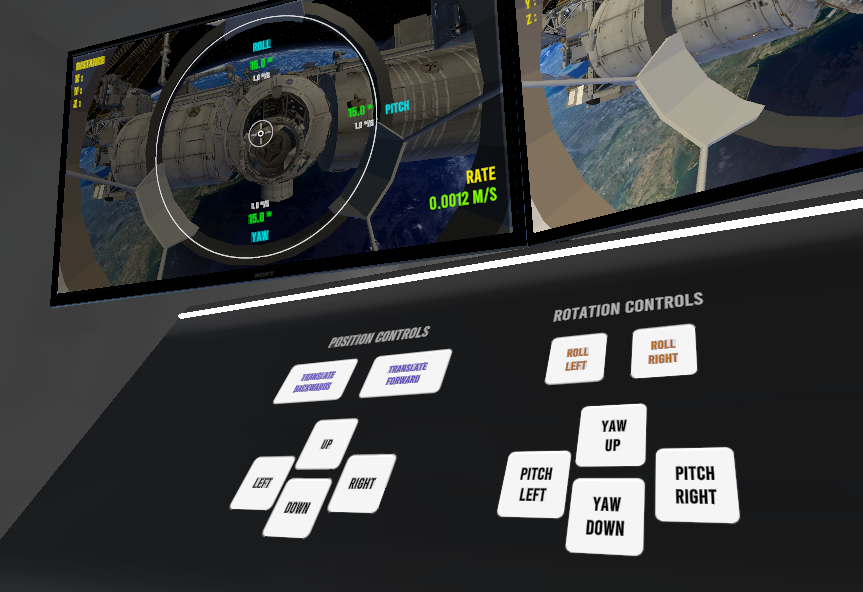
Inside the Crew Dragon 2, the pilot interacts with a custom control panel. I replaced the original touchscreen interfaces with physical-style buttons, which feel far more natural in VR. From this panel, the pilot can manage:
- 2-axis position control
- Forward movement speed
- 3-axis rotational control (yaw, pitch, and roll)
Just like the real Crew Dragon, successful docking requires the correct approach speed and orientation relative to the ISS. To help with this, the simulator displays real-time speed and rotation values referenced to the station’s orientation. When all readings fall within the green zone, the docking completes successfully and the user is brought inside the ISS to explore.
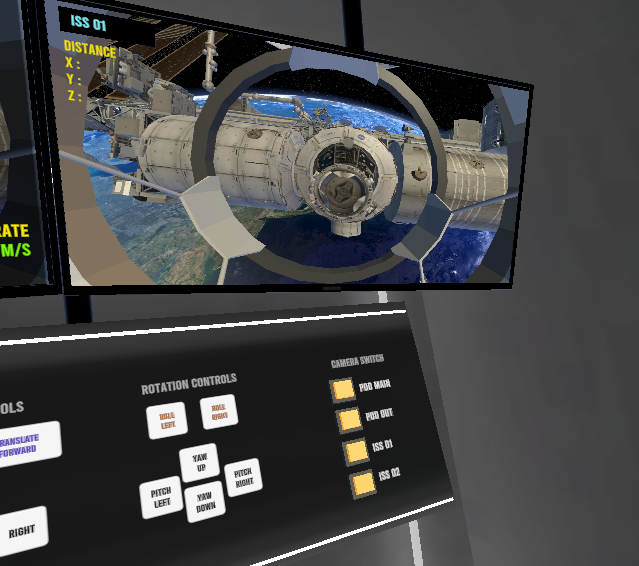
I also added a dedicated camera station, giving the pilot an external view of the vehicle and its distance from the ISS, much like the real-world cameras astronauts rely on during approach.
Here’s a video demonstration of the docking sequence. It’s a slow, deliberate process that rewards patience and precision, so I’d recommend watching it at increased playback speed:
Exploring the ISS Station inside and out
While docking was the primary focus of this project, I also built a free-roam mode where users can fly around and inside the ISS at their own pace.
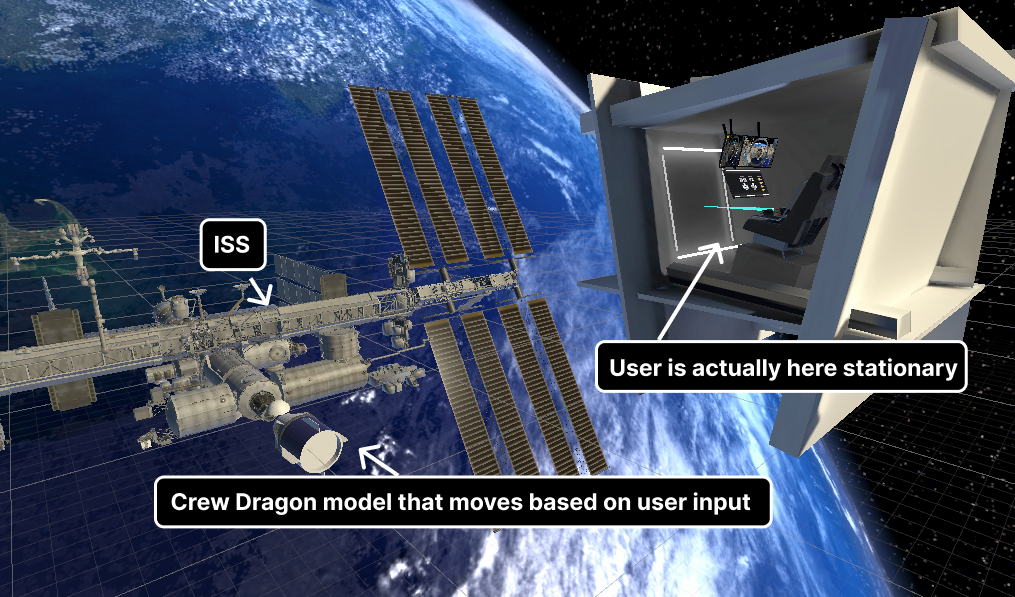
Although it appears that the user is moving through space inside the vehicle, they are actually seated inside a stationary, enclosed pod. The cameras are attached to a separate vehicle model that responds to the pilot’s inputs. This setup gives users plenty of room to move their controllers freely without bumping into the geometry of a moving object — a small design choice that makes a big difference in comfort.
Behind the Scenes
The experience was built in Unity 2023 using the XR Interaction Toolkit, with custom C# components handling vehicle movement. Beyond the VR camera, only two additional cameras are used for the in-cabin screens, and their refresh rates are intentionally reduced to keep performance smooth. All scene lighting is baked, which helps minimize draw calls and keeps the frame rate steady on standalone headsets.
The project runs on Meta Quest 2, Quest 3, and Oculus Rift headsets. If you’d like to try it out, feel free to reach out and I’ll share the installation files.
This project was developed in collaboration with Haissam Wakeb, an AI and advanced technologies professional, who holds the IP rights.




Leave a Reply